Industries · HR & Business Advisory

AI Automation for HR & Business Advisory Firms

More placements and reports, less admin.

An office building at night cut away to show an interview room, onboarding desk, open-plan teams, payroll and finance, a training room, a client boardroom, a wellbeing lounge and an advisor on a video call, with a glass office on the top floor
AI automation map01 / 09

Recruitment & interviews

ATS · Email · Calendar
  • CVs screened against the role criteria you set
  • Interviews scheduled automatically
  • Candidates updated at every stage
Outcome: Faster shortlists

From the first CV to the client report. Hiring and advice decisions always stay with people.

HR consultancies, recruiters and advisory firms already run an applicant tracking system, a CRM, a document store and a stack of spreadsheets for client work. What is usually missing is the workflow between them: CVs read one by one, onboarding packs assembled by hand, and client reports rebuilt from scratch every month. I build AI workflows that summarise candidates against your criteria, automate onboarding steps and draft client reports from your data. Screening is assistive, with bias checks built in, and your consultants make every decision.

See how we automate HR & Business AdvisoryThe 5-step workflow, what we build at each stage, and the delivery roadmap, plus a live AI prototype to try.
View the automation workflow Run the AI prototype
Demos

See the AI at work

Short demo clips with sample data. Pick a stage to see its demos.

Clear, fair job ads that reach more of the right people.

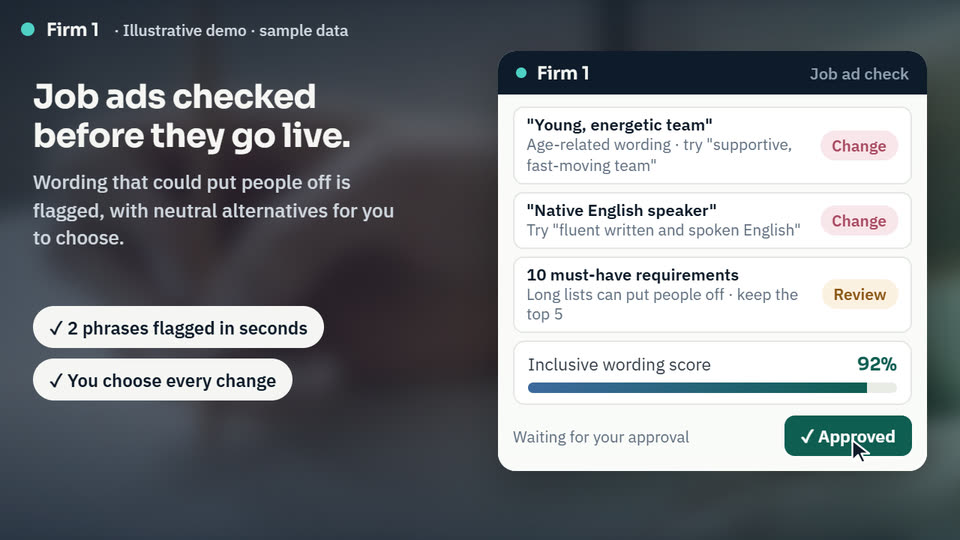
Job ad wording checks

Every draft job ad is checked for wording that could put people off or exclude them, such as age-related phrases or long lists of must-haves. Neutral alternatives are suggested, and your consultant chooses the final wording.

Simulate this for my business →
10 modules

Recruitment & advisory modules

Ten modules that read your candidate, client and reporting data, and show where consultant time goes.

Handbook Question Assistant

Answers new starter, leave and policy questions from the client handbook. Sensitive matters go to an HR adviser.

Ask for pricingSubmit the form

New Client Accounts

B2B growth: growing companies researched and approached with tailored outreach, sent after your review.

Ask for pricingSubmit the form
39 use cases

Every use case, grouped

Open a group to see what can be automated. Mention your favourites in the form below.

Sourcing & job ads6
  • Job ad drafts from a client brief, in your house style
  • Job ads checked for biased or exclusionary wording
  • Candidate database search in plain language
  • Re-engagement messages to past candidates for new roles
  • Job posts formatted for each job board and your website
  • Referral requests sent to recently placed candidates
Screening & shortlisting7
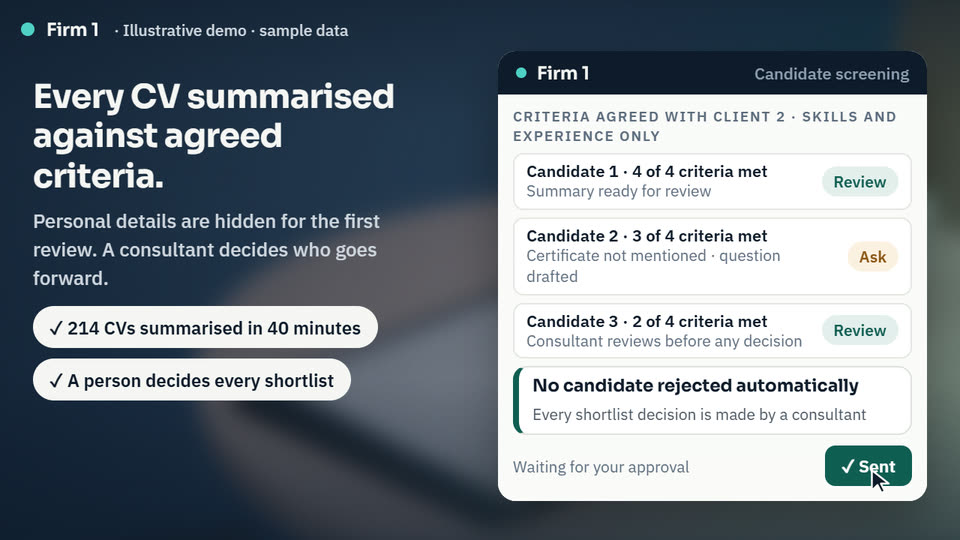
  • CV summaries against the client's criteria, for consultant review
  • Screening questions drafted for each role
  • Anonymised first reviews to reduce bias in shortlisting
  • Regular bias checks on screening outcomes across groups
  • Missing information requests sent to candidates
  • Right-to-work and reference checks tracked, decided by staff
  • Candidate status updates, so nobody is left waiting
Interviews & offers6
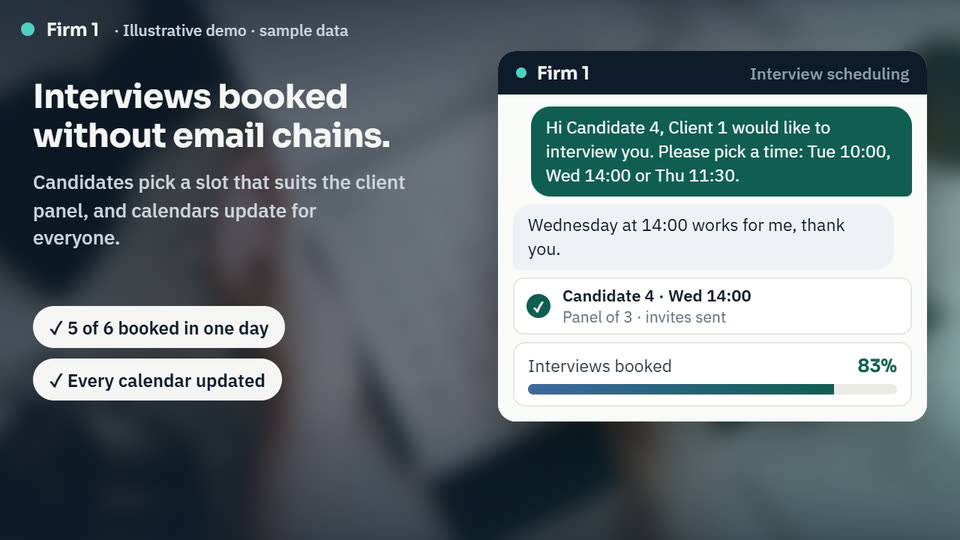
  • Interview scheduling across candidates, clients and panels
  • Structured interview guides drafted for each role
  • Interview notes summarised against agreed criteria
  • Offer letter and contract drafts from your templates, for approval
  • Feedback messages to unsuccessful candidates, drafted for approval
  • Salary benchmarking summaries from your own placement data
Onboarding & HR admin7
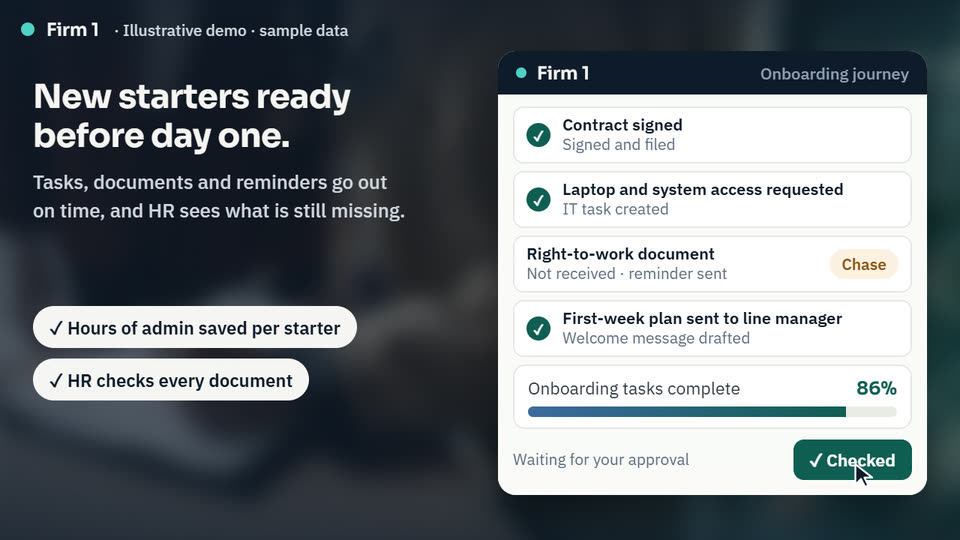
  • Onboarding journeys with tasks, documents and reminders
  • New starter questions answered from the client's handbook
  • Policy and handbook update drafts for HR adviser review
  • Probation review reminders for line managers
  • Leave and absence queries answered from client policies
  • Exit interview summaries grouped by reason
  • Employee survey comments summarised by theme
Client reporting & advisory7
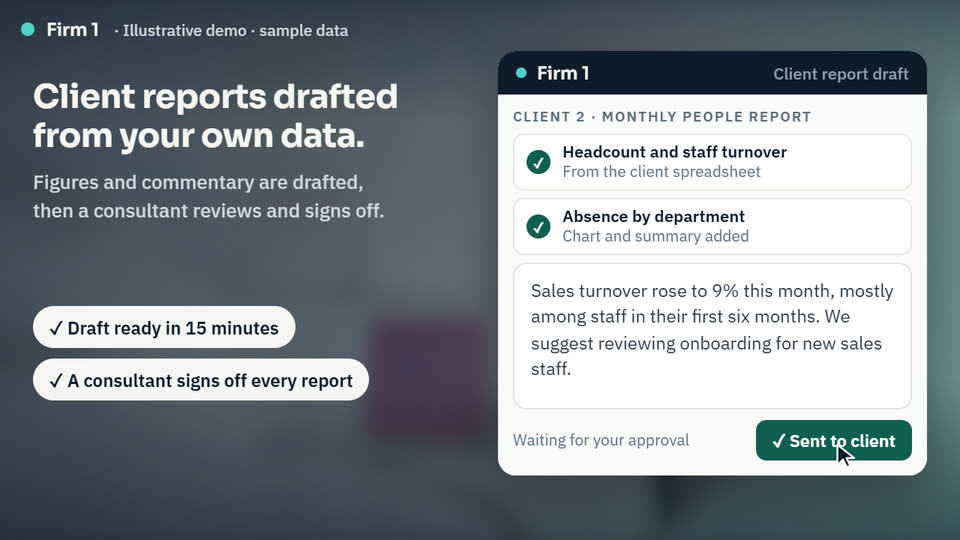
  • Monthly client report drafts from your data and notes
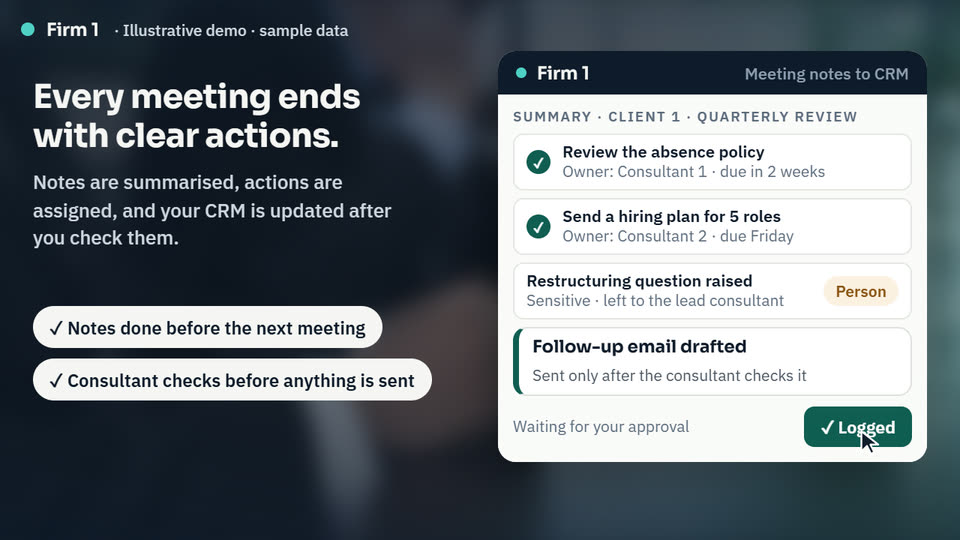
  • Meeting notes turned into actions and logged in your CRM
  • Board and management pack drafts for consultant review
  • KPI commentary drafted from client spreadsheets
  • Proposal and statement of work drafts from discovery notes
  • Regulation and market change summaries, with sources linked
  • Client questions answered from past advice, for consultant approval
Business development & insights6
  • Morning dashboard: pipeline, placements, fees and open approvals
  • Lead lists and account research for new clients
  • Personalised outreach drafts, sent only after your review
  • Client health signals from activity and billing
  • Time spent per client compared with fees
  • Win and loss reasons grouped across proposals
Sample dashboard

Your practice at a glance, every morning

The numbers and workflow statuses I'd set up for an HR consultancy, recruiter or advisory firm, in one view. Illustrative only: a fictional practice with sample data.

Firm 1Last 30 days vs previous 30 · sample dataUpdated today, 7:00 am
CVs reviewed1,860 24%
Placements38 15%
Offer acceptance81% 4 pts
Client retention92% 2 pts

Fee income

Monthly, last 12 months
$322k 30% in 12 months
Fee income by month. Nov: $248k; Dec: $253k; Jan: $251k; Feb: $262k; Mar: $268k; Apr: $265k; May: $277k; Jun: $284k; Jul: $293k; Aug: $301k; Sep: $312k; Oct: $322k. $225k$250k$275k$300k$325k NovDecJanFebMarAprMayJunJulAugSepOct
$6.2kaverage placement fee
$86kfrom advisory retainers this month
46client reports drafted for review

Automations

Offer acceptance by sector

Offers accepted, last 90 days
Finance: 88%
Technology: 84%
Healthcare: 79%
Retail: 74%
Hospitality: 68%

Automation at work

Last 30 days
96%
CVs summarised within an hour
100%
Job ads checked for biased wording
87%
Onboarding tasks completed on time
How it works

An AI layer on top of the systems you already use

  1. 01Your systemsCRM, ERP, booking, POS, email, WhatsApp and spreadsheets
  2. 02Knowledge baseYour policies, price lists, FAQs and documents
  3. 03White-label AI agentReads requests, decides and drafts the next step
  4. 04Workflow automationTasks assigned and actions taken, with approvals
  5. 05Dashboards & alertsDaily summaries, exceptions and reports
Your environment. Your data. Your agents.

Agents are white-labelled and deployed in your own technology stack. You keep control of users, data and the solution, and a person approves every important action.

  • 100% white label
  • On-prem or in your cloud
  • Role-based approvals

How we start: one workflow, not a platform

  1. Step 1Pick a priority workflowOne workflow for a pilot, or several for a phased roll-out.
  2. Step 2Workflow discoveryWe map your systems, manual steps and data, and which decisions AI recommends or takes.
  3. Step 3Fixed-scope proposalArchitecture, plan, timeline and a one-time cost.
  4. Step 4Build, deploy, hand overIntegration, agent build, testing and deployment in your stack, then full handover.
FAQ

Questions I get asked

Something else on your mind? Ask me on a short call.

Will this work with the systems we already use?

Yes. I build on top of your applicant tracking system, CRM and document tools, for example Bullhorn, Workable or HubSpot, plus Microsoft 365 or Google Workspace. Where a system has an API or integration, I connect to it directly. Where it does not, we use exports, shared folders or simple forms. Your consultants keep working in the tools they know.

Will AI decide which candidates move forward?

No. Screening is assistive. The AI summarises each CV against criteria your consultant and client agree, and a person makes every shortlisting, interview and hiring decision. Candidates are never rejected automatically. We run regular bias checks on outcomes, use anonymised first reviews where useful, and keep a record of how criteria were applied.

How do you manage bias and fairness?

Bias checks are part of the build, not an add-on. Job ads are checked for exclusionary wording, criteria are reviewed before screening starts, and outcomes are compared across groups at regular intervals. If a pattern looks wrong, the workflow is paused and reviewed. This supports your obligations under equality and employment rules where you operate, and your team stays accountable.

How do you protect candidate and client data?

CVs, HR records and client financials are confidential. Before building, we settle what the AI can access, where data is stored and processed, including data residency, and how long it is kept, in line with UK GDPR, the UAE's PDPL or other rules where you operate. Access is limited by role and logged, and each client's data is kept separate.

Can AI write advice for our clients?

It can draft, but your consultants advise. Reports, commentary and policy updates are drafted from your data, notes and approved sources, then reviewed and signed off by the person responsible. The AI does not give legal or employment law advice on its own, and sensitive matters, such as disciplinary or redundancy cases, are handled by your team.

Do I need to be technical?

No. I set everything up, connect the tools and show your team how it works. Day to day, consultants review summaries, approve drafts and read the morning dashboard, all from tools they already use. If something needs changing, like a new report template or screening criteria, you tell me in plain language and I update it.

How long does it take, and what does it cost?

It depends on your tools, the size of your firm and the use cases you start with. A first workflow, such as CV summaries or client report drafts, can often be running within a few weeks. A short call gives you a clear scope, timeline and price for the first step, so you know what you are getting before any work starts.

Get started

Choose your next step

Three ways to start. Pick the one that suits you, there is no obligation.

Tell me about your HR or advisory firm

Takes about two minutes. You get a short plan with your quickest wins, and your free offer on request.

About you

What you need

What would you like to automate or improve?
Would you like the free hiring and admin audit first?
Still have questions? Chat on WhatsApp
By sending, you share these details with ShazzBiz only, to prepare a plan. See the Privacy Policy.