Industries · Transportation & Logistics

AI Automation for Transportation & Logistics Companies

Fewer calls, cleaner paperwork, earlier warnings.

A truck fleet depot at night: highway, maintenance bays, fuel station, gate booth, dispatch office, loading docks, parked fleet and trailer yard, with an operations tower on the roof
AI automation map01 / 09

Dispatch & planning

TMS · Orders
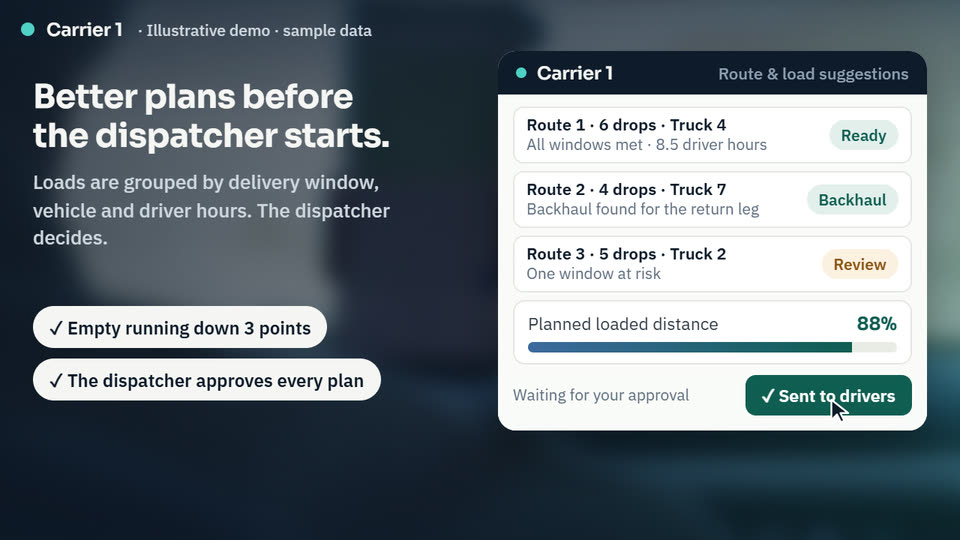
  • Loads matched to trucks and drivers
  • Daily plan drafted for the dispatcher to approve
  • Changes sent to drivers on WhatsApp
Outcome: Faster planning

From the order to proof of delivery. A person approves every change to the plan.

Transport and logistics companies already run a TMS, telematics, carrier portals, customs systems and inboxes full of booking requests. Dispatchers and coordinators spend hours retyping documents, answering 'where is my shipment' and chasing proof of delivery. I build AI agents on top of the systems you already run, so bookings are captured, documents are checked, customers are updated and exceptions reach the right person early. Your team approves rates, route changes and anything sensitive that goes to a customer.

See how we automate Transportation & LogisticsThe 5-step workflow, what we build at each stage, and the delivery roadmap, plus a live AI prototype to try.
View the automation workflow Run the AI prototype
Demos

See the AI at work

Short demo clips with sample data. Pick a stage to see its demos.

Every booking entered once, without retyping.

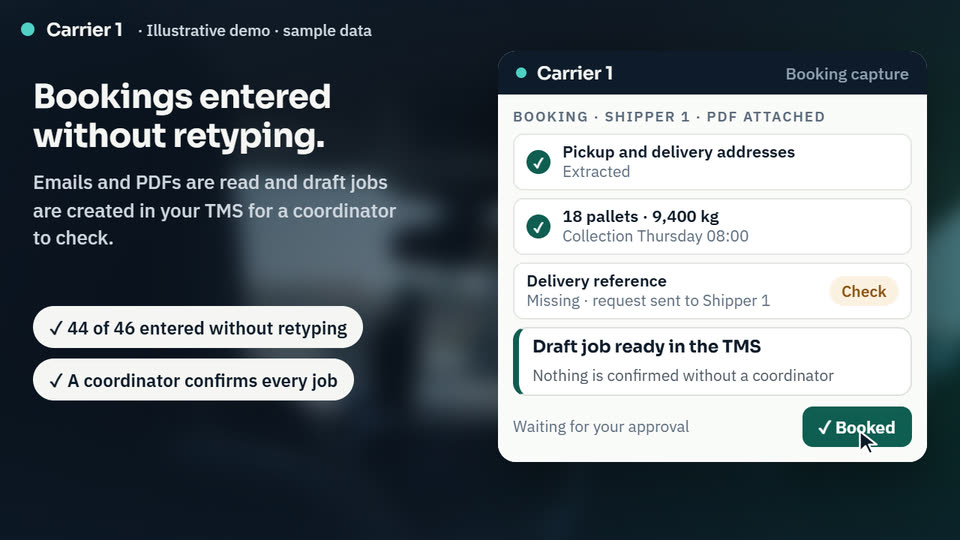
Booking email capture

Booking requests arriving as emails and PDFs are read, and shipper, consignee, dates, weights and references are entered into your TMS as a draft job. Anything missing or unclear goes to a coordinator to check rather than being guessed.

Simulate this for my business →
10 modules

Operations & margin modules

Ten modules that read your TMS, telematics and finance data, and show where time and margin are lost.

Detention & Waiting Time Capture

Spots waiting time and extra charges from telematics and adds them to the invoice draft.

Ask for pricingSubmit the form
34 use cases

Every use case, grouped

Open a group to see what can be automated. Mention your favourites in the form below.

Bookings & quotes6
  • Booking requests from email and PDF entered into your TMS
  • Quote drafts from rate cards and lane history, for approval
  • Missing booking details requested from the customer automatically
  • Spot quote enquiries sorted by lane, mode and urgency
  • Repeat bookings set up from a customer's previous orders
  • Shared operations inbox sorted by customer and job number
Dispatch & routing6
  • Route and load plan suggestions for dispatcher approval
  • Driver and vehicle assignment suggestions by hours and location
  • Empty running and backhaul opportunities flagged
  • Delivery window checks before plans are confirmed
  • Driver instructions and job sheets sent to mobile
  • Subcontractor capacity requests drafted from open loads
Tracking & customer updates6
  • Status updates from telematics and carrier portals in one view
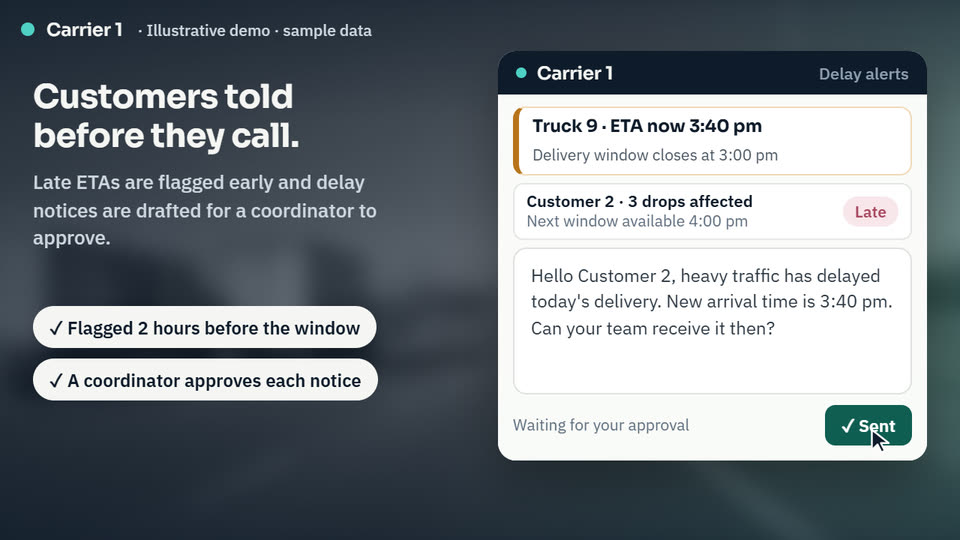
  • Proactive delay notices drafted for approval before they go out
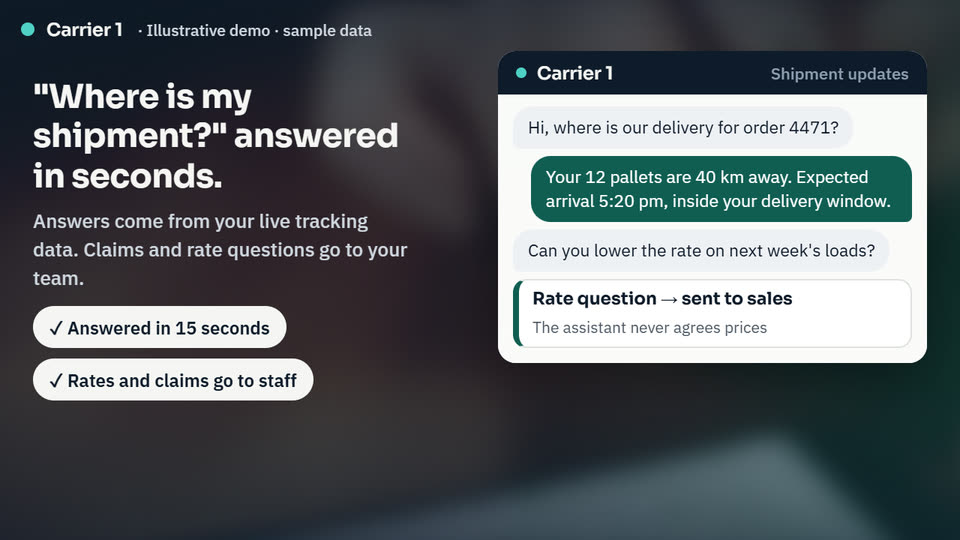
  • 'Where is my shipment' answers by email, portal or WhatsApp
  • ETA recalculation when traffic, weather or port delays change
  • Exception alerts for missed pickups, failed deliveries and damage
  • Customer delivery feedback collected after each job
Documents & compliance6
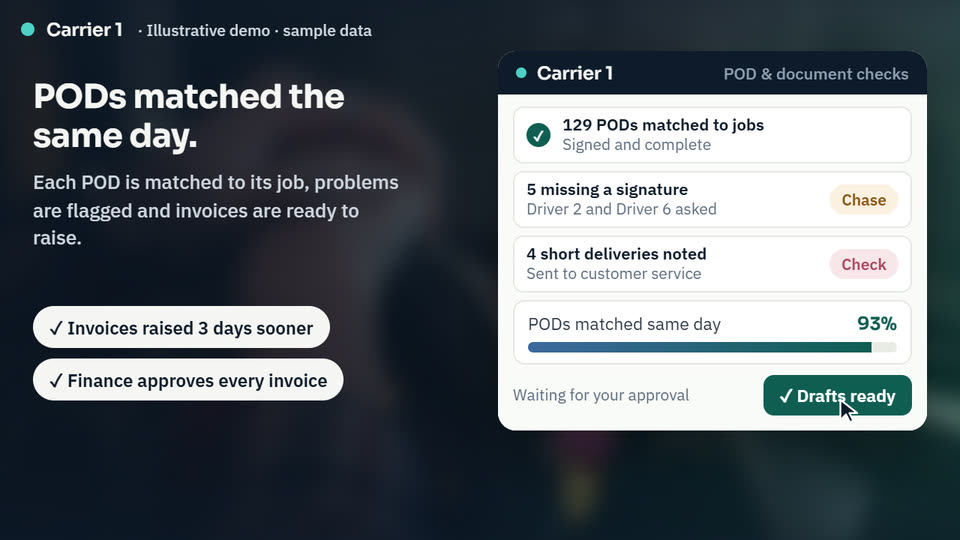
  • Proof of delivery captured and matched to each job
  • Bills of lading, CMRs and packing lists checked for errors
  • Customs document drafts from commercial invoices, for broker review
  • Driver licence, vehicle permit and insurance expiry reminders
  • Dangerous goods paperwork checks before dispatch
  • Claims files assembled with photos, PODs and timelines
Billing & finance6
  • Customer invoices raised as soon as POD is confirmed
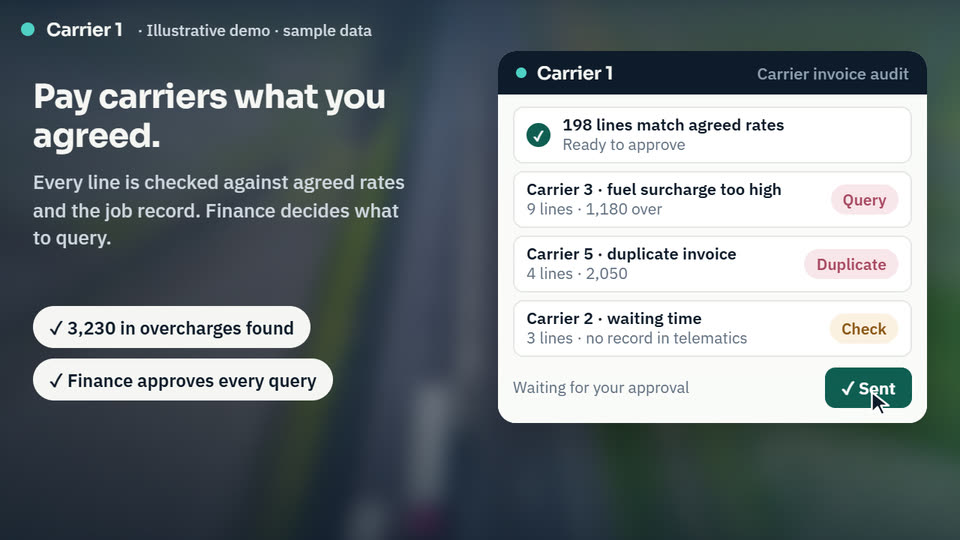
  • Carrier invoices audited against agreed rates
  • Detention, waiting time and accessorial charges captured
  • Payment reminders for overdue customer accounts
  • Fuel surcharge updates applied from your published index
  • Job profitability by customer, lane and vehicle
Reporting & insights4
  • Morning dashboard of shipments, on-time rate and open exceptions
  • Ask questions of your TMS data in plain English
  • Monthly customer KPI reports drafted for review
  • Lane performance and margin trends
Sample dashboard

Your operation at a glance, every morning

The numbers and workflow statuses I'd set up for a transport or freight forwarding company, in one view. Illustrative only: a fictional operation with sample data.

Carrier 1Last 30 days vs previous 30 · sample dataUpdated today, 7:00 am
Shipments4,620 11%
On-time delivery95% 2 pts
Empty running13% 3 pts
Days to invoice4 3 days

Freight revenue

Monthly, last 12 months
$1,318k 22% in 12 months
Freight revenue by month. Nov: $1,084k; Dec: $1,102k; Jan: $1,096k; Feb: $1,131k; Mar: $1,158k; Apr: $1,172k; May: $1,205k; Jun: $1,231k; Jul: $1,224k; Aug: $1,262k; Sep: $1,297k; Oct: $1,318k. $1,000k$1,100k$1,200k$1,300k$1,400k NovDecJanFebMarAprMayJunJulAugSepOct
$285average revenue per shipment
1,940booking emails captured into the TMS
$23kdetention charges recovered this month

Automations

On-time delivery by lane

Share of deliveries on time, last 30 days
City: 97%
UAE-Oman: 92%
UAE-KSA: 88%
Air: 85%
Ocean: 76%

Automation at work

Last 30 days
91%
Bookings captured without retyping
96%
PODs matched to the right job
84%
Delays flagged before customers call
How it works

An AI layer on top of the systems you already use

  1. 01Your systemsCRM, ERP, booking, POS, email, WhatsApp and spreadsheets
  2. 02Knowledge baseYour policies, price lists, FAQs and documents
  3. 03White-label AI agentReads requests, decides and drafts the next step
  4. 04Workflow automationTasks assigned and actions taken, with approvals
  5. 05Dashboards & alertsDaily summaries, exceptions and reports
Your environment. Your data. Your agents.

Agents are white-labelled and deployed in your own technology stack. You keep control of users, data and the solution, and a person approves every important action.

  • 100% white label
  • On-prem or in your cloud
  • Role-based approvals

How we start: one workflow, not a platform

  1. Step 1Pick a priority workflowOne workflow for a pilot, or several for a phased roll-out.
  2. Step 2Workflow discoveryWe map your systems, manual steps and data, and which decisions AI recommends or takes.
  3. Step 3Fixed-scope proposalArchitecture, plan, timeline and a one-time cost.
  4. Step 4Build, deploy, hand overIntegration, agent build, testing and deployment in your stack, then full handover.
FAQ

Questions I get asked

Something else on your mind? Ask me on a short call.

Will this work with the TMS and tools we already use?

Yes. I build on top of your existing TMS, for example CargoWise, Descartes or MercuryGate, plus your telematics, carrier portals and inboxes. The agents read and update records through APIs or structured exports, so dispatchers and coordinators keep using the screens they know and nobody has to switch platforms.

Will the AI change routes or quote prices on its own?

No. Route plans, rate quotes and any change to a customer commitment are prepared as drafts for approval, and a dispatcher or sales coordinator signs them off. Routine updates, like an in-transit status, can be sent automatically once you are happy with how they read.

Can it handle bookings that arrive as messy emails and PDFs?

Yes, that is one of the most common starting points. The AI reads emails and attachments, pulls out shipper, consignee, dates, weights and references, and creates or updates the job in your TMS. Anything incomplete or unclear is sent to a coordinator to check rather than guessed.

How is our customer and shipment data protected?

Access is limited to what each workflow needs, and we agree hosting, retention and permissions before building. I use AI services that do not train on your data. Every action an agent takes is logged, so you can see what was read, what was changed and who approved it.

Do I need to be technical?

No. You need to know how your operation runs, which you already do. I handle the TMS connections, set-up and testing, and your team sees the results in the tools they already use, such as the TMS, email or WhatsApp. I provide short guides and stay available for changes.

How long does it take, and what does it cost?

It depends on your tools, the size of your fleet or network and the use cases you pick. A focused first workflow, such as booking capture, is often running within a few weeks. A short call is enough for me to give you a clear scope, timeline and price for the first step.

Where should a logistics company start?

Usually with booking capture or proactive shipment updates. Both save coordinators hours each day, reduce calls from customers and use data you already have. Document checks and carrier invoice audits are common next steps, because they protect margin and speed up cash collection.

Get started

Choose your next step

Three ways to start. Pick the one that suits you, there is no obligation.

Tell me about your transport or logistics business

Takes about two minutes. You get a short plan with your quickest wins, and your free offer on request.

About you

What you need

What would you like to automate or improve?
Would you like the free lane and delay audit first?
Still have questions? Chat on WhatsApp
By sending, you share these details with ShazzBiz only, to prepare a plan. See the Privacy Policy.