Industries · Warehousing

AI Automation for Warehouses and 3PLs

Faster picks, fewer errors, clearer floors.

The inside of a large warehouse: trucks at the docks, receiving, tall pallet racks with forklifts, picking aisles, packing stations, returns cages and a dispatch conveyor, with a glass control office on the mezzanine
AI automation map01 / 09

Inbound & receiving

WMS · Supplier advance notices
  • Delivery slots booked with suppliers
  • Goods checked against the purchase order
  • Damages and shortages logged with photos
Outcome: Faster receiving

From the inbound dock to the outbound truck. A person approves every change to stock.

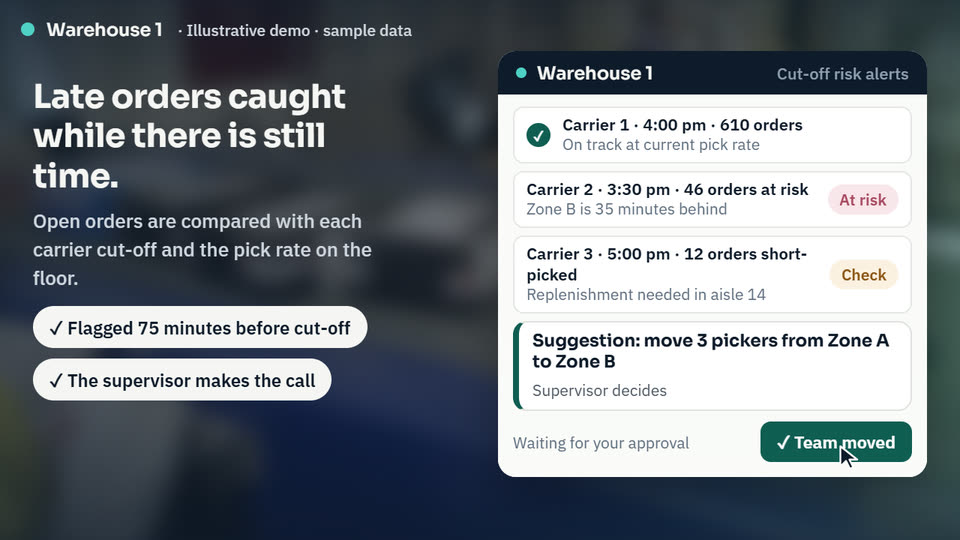
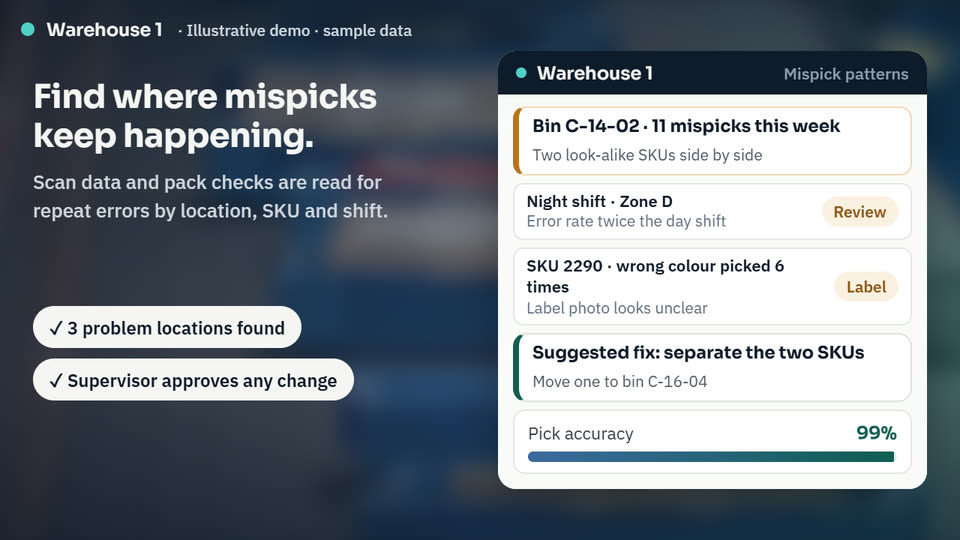
Warehouses already run a WMS, barcode scanners, perhaps RFID gates, an ERP and a stack of spreadsheets for labour and slotting. What is usually missing is the layer that reads all of it and tells supervisors what to do next: which orders are at risk, which locations keep causing mispicks, where stock counts disagree. I build AI workflows on top of the systems you already run, so exceptions surface early and reports write themselves. Your team approves any change to stock, slotting or client communication.

See how we automate WarehousingThe 5-step workflow, what we build at each stage, and the delivery roadmap, plus a live AI prototype to try.
View the automation workflow Run the AI prototype
Demos

See the AI at work

Short demo clips with sample data. Pick a stage to see its demos.

Problems sorted before the truck reaches the dock.

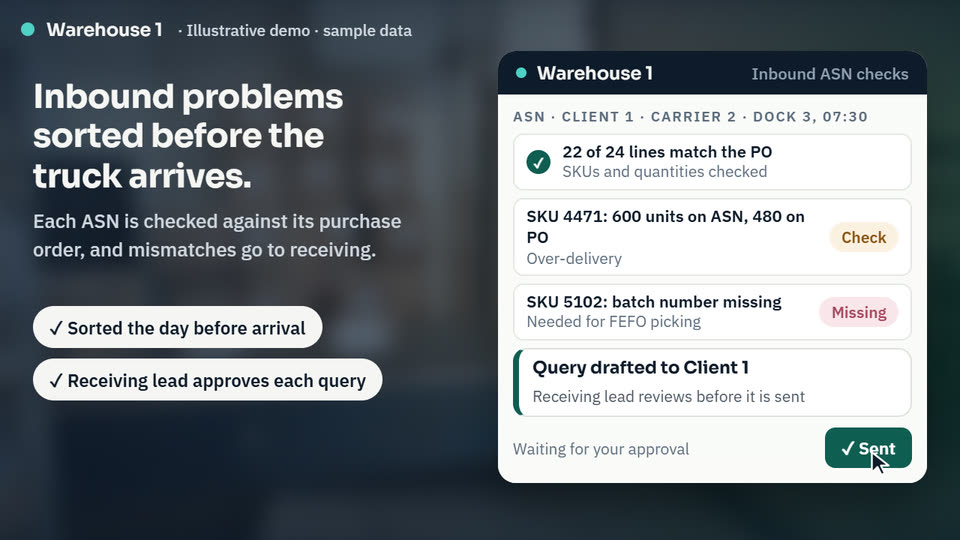
Inbound ASN checks

Advance shipping notices are checked against purchase orders as soon as they arrive. Wrong quantities, unknown SKUs and missing batch details are flagged to the receiving team before the truck is on site.

Simulate this for my business →
10 modules

Warehouse operations & growth modules

Ten modules that read your WMS, scanner and billing data, and show where time, accuracy and revenue are lost.

Client Status Assistant

Answers 3PL client questions about orders and stock by email, and drafts monthly client reports for review.

Ask for pricingSubmit the form
34 use cases

Every use case, grouped

Open a group to see what can be automated. Mention your favourites in the form below.

Receiving & put-away6
  • ASN checks against purchase orders before trucks arrive
  • Dock appointment scheduling and carrier reminders
  • Damage and shortage reports drafted from receiving photos
  • Put-away location suggestions based on velocity and space
  • Dock-to-stock time tracking with delays explained
  • Supplier non-compliance reports for labels and packaging
Picking & packing6
  • Mispick pattern detection by location, SKU and shift
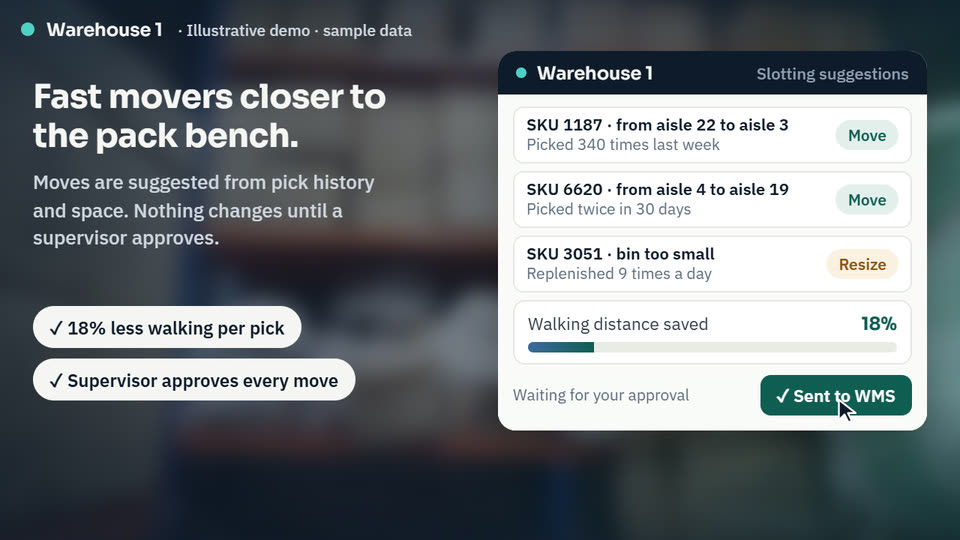
  • Wave and batch suggestions to reduce walking distance
  • Order cut-off risk alerts for each carrier
  • Pick rate tracking by zone and shift, with outliers flagged
  • Packing instructions shown for special handling and fragile items
  • Carton size suggestions to cut wasted space and freight cost
Inventory & tracking6
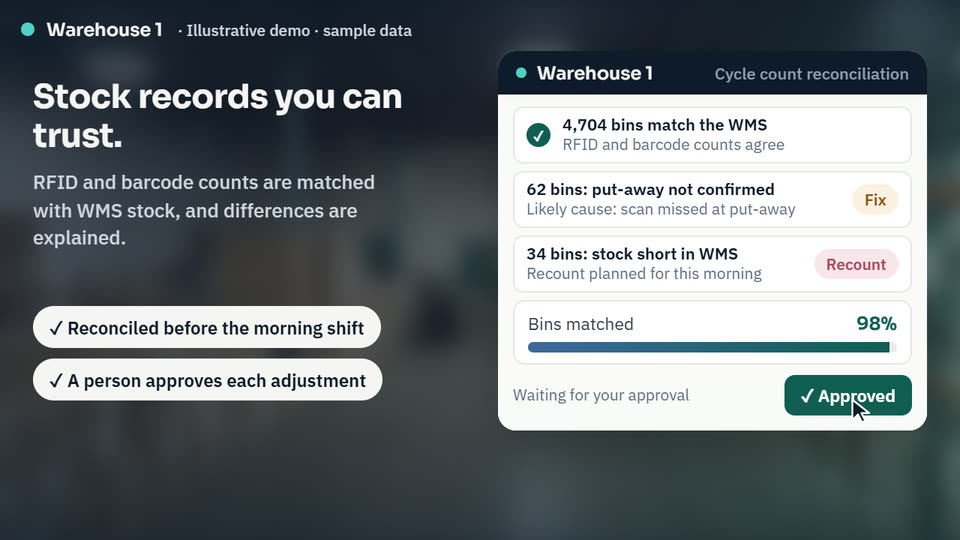
  • RFID and barcode reads reconciled with WMS stock levels
  • Cycle count plans focused on high-risk and high-value bins
  • Stock discrepancy alerts with the likely cause
  • Expiry and batch tracking alerts for FEFO picking
  • Slow-moving stock reports with relocation suggestions
  • Slotting change suggestions for supervisor approval
Labour & operations6
  • Labour planning from forecast order volumes
  • Shift handover summaries drafted from WMS and scanner data
  • Forklift and MHE maintenance reminders
  • Safety incident logs with follow-up tracking
  • Temporary staff onboarding checklists and training reminders
  • Space alerts before a zone runs out of room
Client service & billing6
  • Order status answers for 3PL clients by email or portal
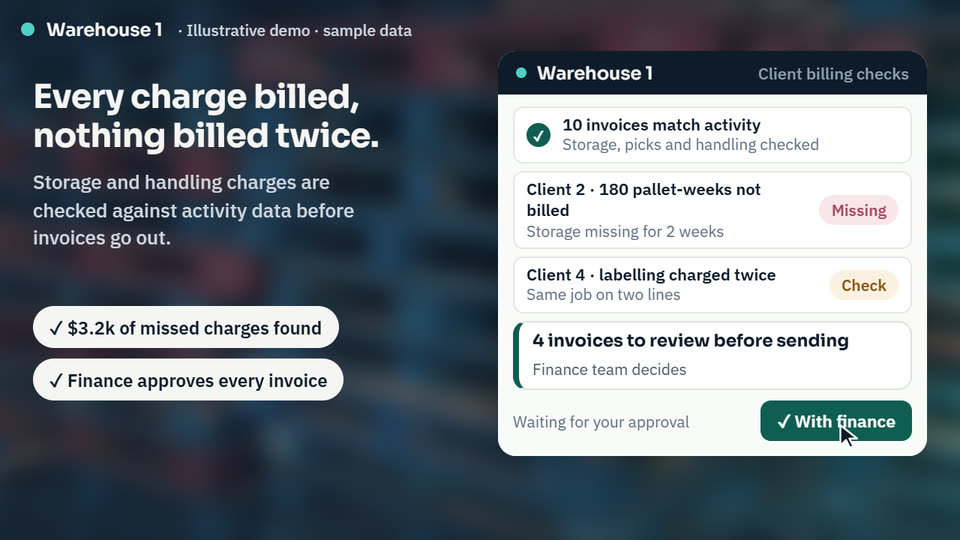
  • Storage and handling fees checked against activity data
  • Client invoices drafted for review before sending
  • Monthly client reports with KPIs and exceptions explained
  • SLA breach alerts with a draft explanation for approval
  • New client onboarding checklists and SKU data checks
Reporting & insights4
  • Morning dashboard of orders, accuracy, pick rates and backlog
  • Ask questions of your WMS data in plain English
  • Weekly operations summary drafted for management
  • Cost per order trends by client and channel
Ready-made software

Need the software itself?

ShazzBiz software, as a subscription (SaaS) or white label on your own server, with an AI layer. Pricing on a call.

Sample dashboard

Your warehouse at a glance, every morning

The numbers and workflow statuses I'd set up for a warehouse or 3PL, in one view. Illustrative only: a fictional warehouse with sample data.

Warehouse 1Last 30 days vs previous 30 · sample dataUpdated today, 7:00 am
Orders shipped18,460 14%
Pick accuracy99.6% 0.3 pts
Lines per hour112 9%
Dock-to-stock hrs6 2 hrs

Fulfilment fees

Monthly, last 12 months
$266k 24% in 12 months
Fulfilment fees by month. Nov: $214k; Dec: $219k; Jan: $216k; Feb: $224k; Mar: $231k; Apr: $236k; May: $241k; Jun: $239k; Jul: $248k; Aug: $254k; Sep: $259k; Oct: $266k. $200k$220k$240k$260k$280k NovDecJanFebMarAprMayJunJulAugSepOct
$14.4average fee per order shipped
73mispicks caught before dispatch this month
$3.2kstorage fees recovered from billing checks

Automations

Space utilisation by zone

Share of locations in use, last 30 days
Ambient: 92%
Fast pick: 87%
Chilled: 81%
Bulk: 74%
Mezzanine: 58%

Automation at work

Last 30 days
96%
RFID reads reconciled without rework
93%
Exceptions routed within 15 minutes
100%
Shift reports drafted automatically
How it works

An AI layer on top of the systems you already use

  1. 01Your systemsCRM, ERP, booking, POS, email, WhatsApp and spreadsheets
  2. 02Knowledge baseYour policies, price lists, FAQs and documents
  3. 03White-label AI agentReads requests, decides and drafts the next step
  4. 04Workflow automationTasks assigned and actions taken, with approvals
  5. 05Dashboards & alertsDaily summaries, exceptions and reports
Your environment. Your data. Your agents.

Agents are white-labelled and deployed in your own technology stack. You keep control of users, data and the solution, and a person approves every important action.

  • 100% white label
  • On-prem or in your cloud
  • Role-based approvals

How we start: one workflow, not a platform

  1. Step 1Pick a priority workflowOne workflow for a pilot, or several for a phased roll-out.
  2. Step 2Workflow discoveryWe map your systems, manual steps and data, and which decisions AI recommends or takes.
  3. Step 3Fixed-scope proposalArchitecture, plan, timeline and a one-time cost.
  4. Step 4Build, deploy, hand overIntegration, agent build, testing and deployment in your stack, then full handover.
FAQ

Questions I get asked

Something else on your mind? Ask me on a short call.

Will this work with the WMS and scanners we already use?

Yes. I build on top of your existing WMS, for example Manhattan, Blue Yonder or SAP EWM, plus your barcode scanners, RFID readers and ERP. The workflows read data through APIs, database views or scheduled exports, so your team keeps the same screens and devices, and nothing on the floor has to change on day one.

Will AI move stock or change locations on its own?

No. Suggestions such as slotting changes, count adjustments or relocations are prepared as drafts for approval, and a supervisor reviews and confirms them in the WMS. Alerts and reports can run automatically, because they inform people rather than change stock records or anything a client sees.

Do we need RFID to get value?

No. Most warehouses start with barcode scan data and WMS transactions, which already show mispicks, slow zones and cut-off risk. If you have RFID gates or handhelds, those reads add live stock accuracy and faster reconciliation, but they are a bonus rather than a requirement.

How is our data and our clients' data kept secure?

Each workflow gets read access only to the data it needs, and write access only where you approve it. We agree hosting, retention and access rules before building, and I use AI services that do not train on your data. Client data stays separated, and every automated action is logged for review.

Do I need to be technical?

No. You need to know how your warehouse runs, which you already do. I handle the connections to your WMS and scanners, the set-up and the testing. Supervisors receive alerts and summaries by email, Teams or on a screen they already use, and I stay available for changes.

How long does it take, and what does it cost?

It depends on your tools, the size of your site and the use cases you pick. A focused first workflow, such as cut-off risk alerts, is often running within a few weeks. A short call is enough for me to give you a clear scope, timeline and price for the first step.

Where should a warehouse start?

Usually with cut-off risk alerts and mispick detection, because they use data you already capture and affect clients directly. Shift summaries are another quick win. Slotting suggestions and labour planning come next, once the data has been cleaned up and the team trusts it.

Get started

Choose your next step

Three ways to start. Pick the one that suits you, there is no obligation.

Tell me about your warehouse

Takes about two minutes. You get a short plan with your quickest wins, and your free offer on request.

About you

What you need

What would you like to automate or improve?
Would you like the free cut-off and mispick audit first?
Still have questions? Chat on WhatsApp
By sending, you share these details with ShazzBiz only, to prepare a plan. See the Privacy Policy.