Industries · Media & Entertainment

AI Automation for Media & Entertainment

More content shipped, audiences who stay.

Book a 15-min call WhatsApp LinkedIn Watch the demos
01AttractClip & social repurposing
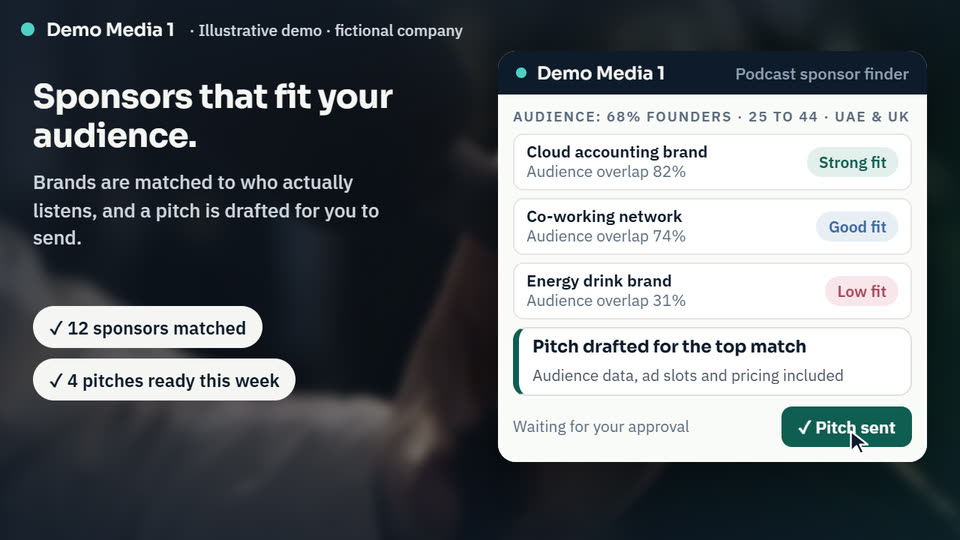
02ConvertPodcast sponsor finder
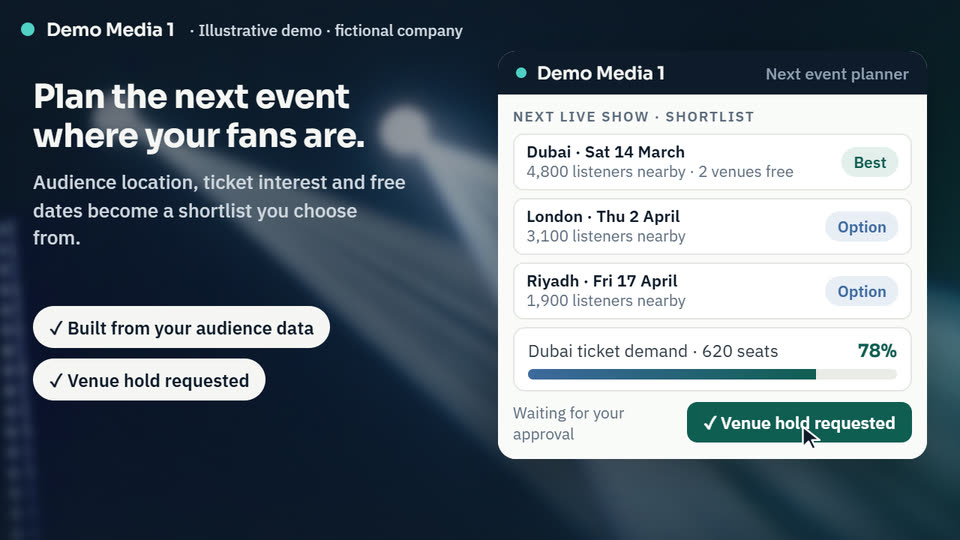
03DeliverNext event planner
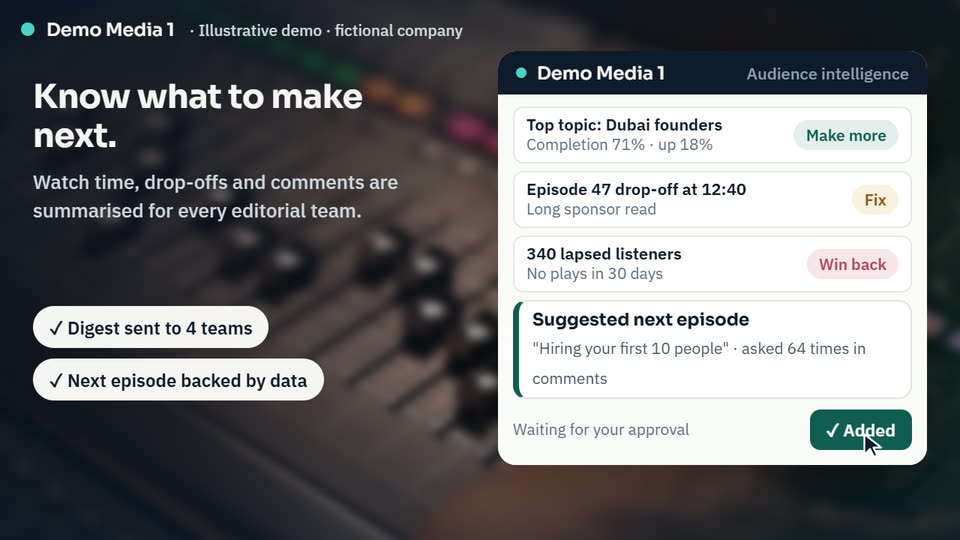
04Retain & ExpandAudience insight digest
05You approveNothing goes out unchecked

From first message to approved action. A person stays in control at every step.

01Clip & social repurposing02Podcast sponsor finder03Next event planner04Audience insight digest05You approve
Sample dashboard

Your studio at a glance, every morning

The numbers and workflow statuses I'd set up for a publisher, streaming channel or production studio, in one view. Illustrative only: a fictional studio with sample data.

Studio 1Last 30 days vs previous 30 · sample dataUpdated today, 7:00 am
Monthly audience1.8M 16%
Pieces published412 27%
Newsletter opens46% 5 pts
Subscriber churn3.8% 0.9 pts

Subscription & ad revenue

Monthly, last 12 months
$362k 27% in 12 months
Subscription & ad revenue by month. Nov: $284k; Dec: $291k; Jan: $288k; Feb: $297k; Mar: $305k; Apr: $302k; May: $313k; Jun: $322k; Jul: $330k; Aug: $339k; Sep: $351k; Oct: $362k. $275k$300k$325k$350k$375k NovDecJanFebMarAprMayJunJulAugSepOct
$6.4average monthly revenue per subscriber
1,460archive assets tagged this month
96short clips cut from long-form content

Automations

Completion rate by format

Share of each piece watched or read, last 30 days
Shorts: 72%
Podcasts: 61%
Articles: 48%
Series: 44%
Long-form: 36%

Automation at work

Last 30 days
91%
Pieces published with AI metadata
86%
Archive assets tagged automatically
100%
Newsletters personalised by segment

Media and entertainment teams already run a content management system, a digital asset library, project boards, social scheduling tools and an analytics stack. What is usually missing is the workflow between them: briefs rewritten by hand, assets tagged inconsistently, and audience data that never reaches the people planning next week's content. I build AI workflows that draft metadata and short clips, tag archives, summarise audience behaviour and personalise newsletters and recommendations. Your editors approve anything that needs a human eye before it is published.

Free audience & content audit

Send me recent exports from your analytics, channels or podcast host. I show you which content earns your audience, where clips and sponsors are being missed, and the three fixes to start with.

  • Top topics and formats by reach and watch time
  • Long-form content ready to cut into clips
  • Sponsor categories that match your audience
  • A simple 30-day action plan
Claim my free audit Or book a free 15-min live demo Aggregated analytics only, no subscriber personal data. Your data stays confidential and is deleted after the audit.
Time saved calculator

How much time could automation give back?

Enter your own numbers: repetitive tasks like enquiries, bookings, documents, orders and reports. Nothing is sent anywhere.

Planning assumptionsPlanning assumptions only, not a promise. A person still approves anything important.
0staff hours freed a month
0cost of that time a month
0hours a year
0full-time staff equivalent

Get my free audit
Workflow simulation

Watch two weeks of work in 15 seconds

A simulated fortnight at Studio 1. Each card is an episode moving through your workflow, with a person approving anything important. Sample data.

Day 0 of 14
Attract0
Convert0
Deliver0
Retain & Expand0
Approved0
Episode 1Clip & social repurposing
Episode 2Social hype alerts
Episode 3Podcast sponsor finder
Episode 4Personalised newsletters
Episode 5Next event planner
Episode 6Audience insight digest
Episode 7Clip & social repurposing
Episode 8Social hype alerts

    Simulation with sample data. Real timing depends on your volumes, systems and team.

    Stage 01

    Attract

    Reach more people with the content you already make.

    Clip & social repurposing

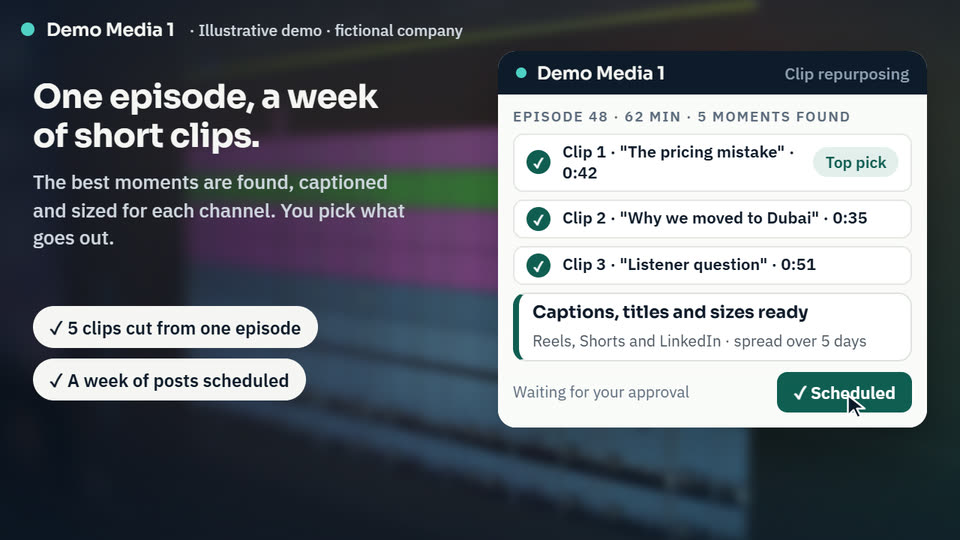
    The strongest moments in each episode or video are found and cut into short clips, with captions, titles and sizes for every channel. You choose what goes out, and a week of posts is scheduled.

    Simulate this for my business →

    Social hype alerts

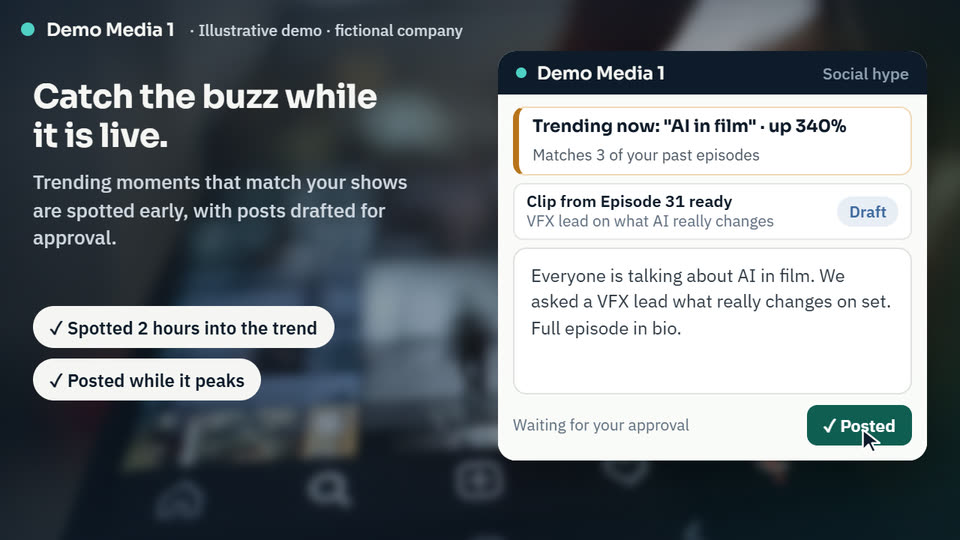
    Trending topics that match your past shows are spotted early, and a clip and post are drafted while the buzz is still live. Your team approves every post before it goes out.

    Simulate this for my business →
    Stage 02

    Convert

    Turn attention into sponsors and loyal readers.

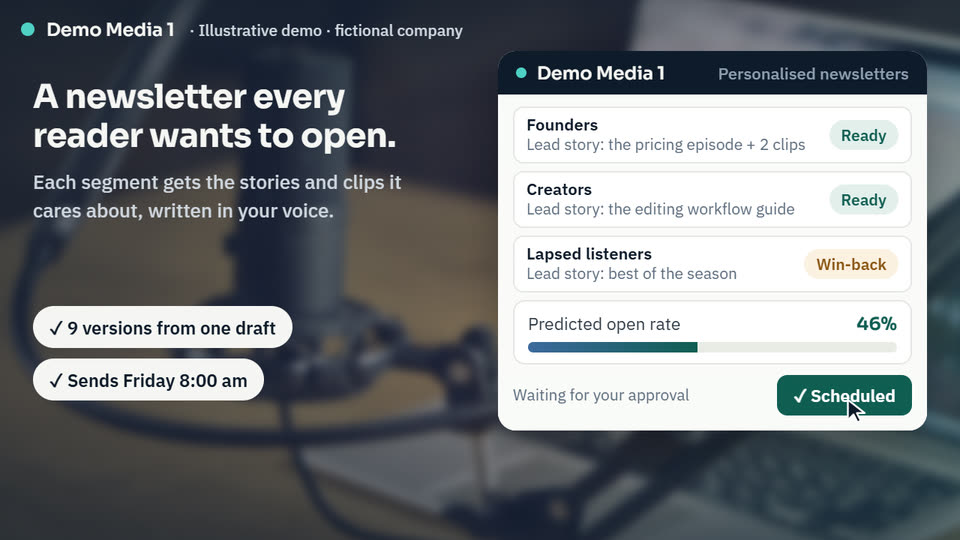
    Personalised newsletters

    One draft becomes a version for each audience segment, each leading with the stories and clips that segment cares about, so more readers open and click.

    Simulate this for my business →
    Stage 03

    Deliver

    Plan live events where your fans really are.

    Next event planner

    Listener locations, ticket interest and free venue dates are combined into a shortlist of cities and dates, with a ticket demand forecast for each option.

    Simulate this for my business →
    Stage 04

    Retain & Expand

    Know what to make next, and keep your audience coming back.

    Audience insight digest

    Each week, top topics, drop-off points, comment themes and lapsing listeners are summarised for every editorial team, with the next episode or story suggested from real audience questions.

    Simulate this for my business →
    10 modules

    Audience, revenue & event modules

    Ten modules that read your analytics, CMS, socials and ticketing data, and show where your audience and revenue come from.

    Podcast Sponsor Finder

    Identifies brands whose customers match your audience and drafts a sponsor pitch.

    Watch the demo →

    Audience Intelligence

    Shows who your audience is, where they come from and what keeps them listening.

    Watch the demo →

    Next Event Planner

    Picks the city, date and format for your next event from audience demand.

    Watch the demo →

    Social Hype Engine

    Spots trending moments and drafts posts and clips while the buzz is live.

    Watch the demo →

    Content Performance Radar

    Ranks what to make more of by topic, format and channel.

    Sponsorship Revenue Tracker

    Tracks ad inventory, fill rate and sponsor delivery against each contract.

    Ticket Demand Forecast

    Forecasts ticket sales and suggests price tiers before you announce a show.

    Guest & Talent Matcher

    Suggests guests, hosts and collaborators your audience will tune in for.

    Rights & Licence Monitor

    Flags expiring licences and assets used without clearance before you publish.

    Producer Copilot

    Answers common questions directly from your analytics, CMS and sales data.

    45 use cases

    Every use case, in one checklist

    For publishers, broadcasters, streaming channels, podcast networks and production studios. Tick what fits your business, then send me your list and I'll tell you where to start.

    Planning & briefs
    Production & post-production
    Publishing & distribution
    Archive, assets & rights
    Audience insights
    Personalisation & growth
    Sponsorship, events & hype
    0 use cases picked. Tick the ones that fit your business. Book a call about these Email me my list
    Starter packs

    Start with a pack, not a platform

    Each pack bundles the use cases that work best together, so you get a working result first and add more once it pays off.

    Quick-Win Pack

    Best for: Teams that want more reach from the content they already publish.

    Pricing depends on your channels, catalogue size and tools, so I scope it with you on a short call. Ask for pricingSubmit the form

    Monetisation Pack

    Best for: Podcasts and channels that want more sponsors and better-run ad deals.

    Pricing depends on your channels, catalogue size and tools, so I scope it with you on a short call. Ask for pricingSubmit the form

    Audience Growth Pack

    Best for: Editorial teams that want to know what to make next and keep their audience.

    Pricing depends on your channels, catalogue size and tools, so I scope it with you on a short call. Ask for pricingSubmit the form

    Live Events Pack

    Best for: Creators and media brands planning live shows, tours or meet-ups.

    Pricing depends on your channels, catalogue size and tools, so I scope it with you on a short call. Ask for pricingSubmit the form
    Inquiry form

    Tell me about your media business

    Fill in this form. Your details go to shahzad@shazzbiz.com and you get a short plan with your quickest wins and pricing. Questions first? Ask on WhatsApp.

    Takes about two minutes. You get a short plan with your quickest wins, and your free offer on request.

    About you

    What you need

    What would you like to automate or improve?
    Would you like the free audience audit first?
    Still have questions? Chat on WhatsApp
    By sending, you share these details with ShazzBiz only, to prepare a plan. See the Privacy Policy.
    FAQ

    Questions I get asked

    Something else on your mind? Ask me on a short call.

    Will this work with the systems we already use?

    Yes. I build on top of your content management system, asset library and editing tools, for example WordPress, Frame.io or Adobe Premiere Pro, plus your social scheduling and analytics tools. Where a system has an API or integration, I connect to it directly. Where it does not, we use exports, shared folders or simple forms. Your team keeps working in the tools it knows.

    Will AI publish content without an editor seeing it?

    No, unless you choose that for routine items like tags or captions. Scripts, headlines, social posts and anything that carries your name run in "draft for approval" mode. An editor reviews, edits and publishes. The AI saves time on first drafts and repetitive formatting, while editorial judgement stays with your team.

    What about copyright and rights in our content?

    Your content and archive stay yours. I set workflows up so the AI works from your own material and approved sources, and flags rights, licence and expiry details before anything is reused. Generated images, music or voice are only used where your licence terms and policies allow, and a person signs off on every rights question.

    How do you handle audience data and security?

    Audience data stays in your own systems wherever possible. Before building, we agree what the AI can access, where data is stored and processed, and how long it is kept, in line with the data protection rules where you operate, such as UK GDPR or the UAE's PDPL. Personalisation only uses consent you already hold, and access is limited by role and logged.

    Do I need to be technical?

    No. I set everything up, connect the tools and show your team how it works. Day to day, editors and producers approve drafts, search the archive and read the weekly digest, all from tools they already use. If something needs changing, like a new show format or house style rule, you tell me in plain language and I update it.

    How long does it take, and what does it cost?

    It depends on your tools, the size of your team and catalogue, and the use cases you start with. A first workflow, such as transcripts and metadata on upload, can often be running within a few weeks. A short call gives you a clear scope, timeline and price for the first step, so you know what you are getting before any work starts.
    Want to see these workflows in your business?

    Free 15-minute call · I'll point out your quickest win · No obligation

    Book your call